By Md Abdur Rouf Mia | Published 19 October 2026 | Prices checked 19 October 2026
The best AI tools for solo entrepreneurs 2026 has to offer are fewer than most lists suggest. A one-person business does not need thirty subscriptions. It needs a handful of tools that each take one recurring chore off your plate, cost little enough to cancel without a second thought, and still make sense in a month when income dips.
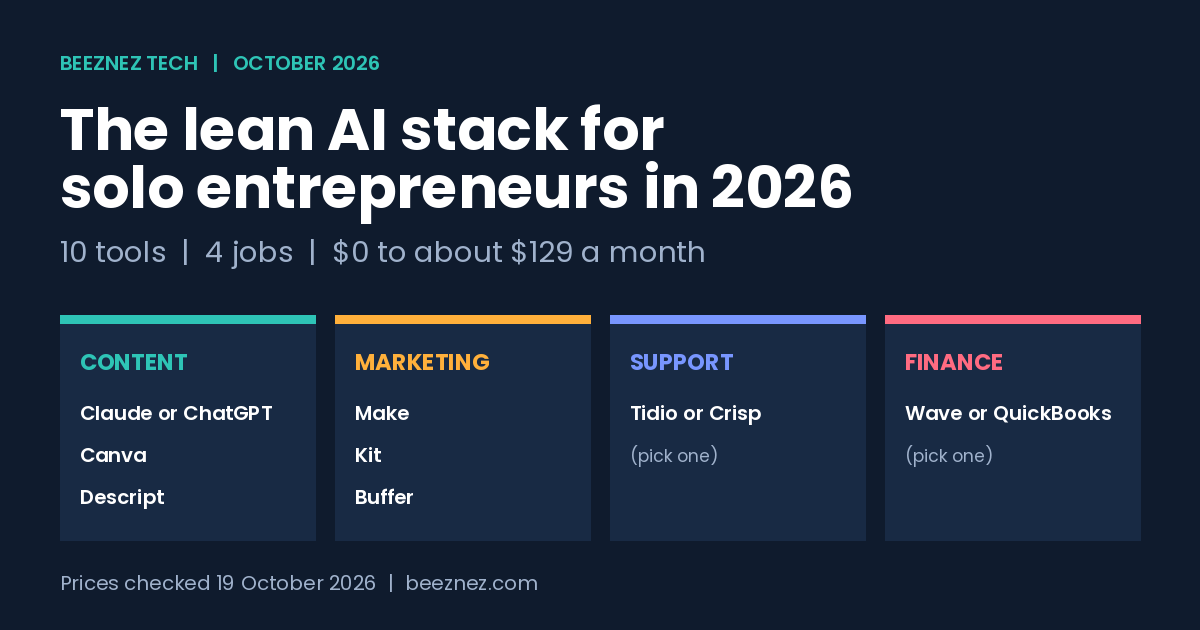
This guide picks ten tools across four jobs: creating content, running marketing, answering customers and keeping track of money. For each tool you get what it does for a solo operator, what it costs as of 19 October 2026, the catch to know before paying, and who should skip it. A cost section near the end adds the prices into three stacks, from $0 to about $129 a month.
What I Tested vs What I Researched
Tested: None of the ten tools was tested side by side or used for this article, so it contains no invented claims such as saving 20 hours a week.
Researched: Prices and plan limits as of 19 October 2026. Vendor pricing pages load prices dynamically, so the figures come from recent third-party pricing write-ups listed under Sources, and where those disagree I say so. The article was researched and drafted in a chat session with Claude (Claude Sonnet 5.5) using web search, so read the assistant pick (tool 1) with extra scepticism.
Not tested: The three stack totals are my own arithmetic on those prices.
There are no affiliate links in this article and no vendor paid for a place in it.
The Short Answer: A Lean AI Stack in One Table
If you only read one section, read this one. “Paid price” is the cheapest paid plan for one person, at the billing period shown.
| Job | Tool | Free option | Cheapest paid plan |
|---|---|---|---|
| Content | 1. Claude or ChatGPT | Free tiers with tight limits | $20 a month (Claude about $17 on annual billing) |
| Content | 2. Canva | Free plan | Pro for one person, reported between about $12 and $18 a month (sources disagree) |
| Content | 3. Descript | Free, about 1 media hour a month | Hobbyist $24 monthly or $16 annual |
| Marketing | 4. Make | Free, 1,000 credits | Core $10.59 monthly or $9 annual |
| Marketing | 5. Kit | Free up to 10,000 subscribers | Creator $39 monthly at 1,000 subscribers ($33 annual) |
| Marketing | 6. Buffer | Free, up to 3 channels | $6 per channel monthly ($5 annual) |
| Support | 7. Tidio | Free, 50 conversations a month | Starter $29 monthly or $24.17 annual |
| Support | 8. Crisp | Free, 2 seats | Mini at 45 a month |
| Finance | 9. Wave | Free core accounting | Pro about $19 a month |
| Finance | 10. QuickBooks Solopreneur | None | About $20 a month |
Ten tools, eight working slots. Support and finance each list two options because they do the same job, so you pick one from each pair. The other six tools each fill a slot of their own.
How to Run a One Person Business With AI: Four Jobs, Not Forty Tools
The useful way to think about how to run a one person business with AI is by job, not by tool. A solo operator repeats four kinds of work every week, and each one has a sensible place for AI. If you want to see how very small teams use AI to compete with much larger companies, read how tiny AI teams are beating giants.
- Creating things: drafts, graphics, recordings and edits. AI is good at first versions and cleanup. You supply the judgement and the facts.
- Getting the word out: email, social posts and the glue that moves information between apps. AI is good at drafting and routing. You decide what is sent.
- Answering customers: repeat questions that eat your day. AI can answer the dull ones from your own written answers. You handle everything unusual.
- Tracking money: invoices, expenses and receipts. AI helps with capture and categorising. A human, ideally an accountant for tax questions, owns the numbers.
The rule that keeps this safe is simple. Automate the repeating and the reversible. Keep a person on anything that spends money, messages a customer in your name or states a fact in public. The AI agent governance guide covers that line in more detail.
How These 10 Tools Were Picked
Every tool here had to pass five checks.
- Usable by one person. No seat minimums, no sales call, no enterprise contract.
- A real free tier or a low entry price. You should be able to prove the tool is useful before paying.
- One clear job. Tools that try to do everything tend to bill for everything.
- Published pricing. If the cost is hidden behind “contact sales”, it is not a lean tool.
- Easy to leave. Your content, contacts and records should export, so a price rise is an annoyance rather than a trap.
That last check matters more than it looks. Several tools below have changed their pricing in recent years, which is why every price in this article carries a date and a reminder to confirm it.
The Best AI Tech Stack for Solopreneurs: 10 Tools by Job
Content creation (tools 1 to 3)
1. Claude or ChatGPT: the general-purpose assistant
This is the one AI subscription most solopreneurs should consider first. A general assistant drafts emails and posts, summarises long documents, turns notes into outlines, explains a spreadsheet formula and acts as a thinking partner when nobody else is around.
Price: Claude Pro is $20 a month, or about $17 a month on annual billing ($200 upfront). ChatGPT Plus is also $20 a month. Heavier Max or Pro tiers exist at $100 to $200 a month, but one pricing review advises using the $20 tier for a month before considering them, and moving up only if you hit limits several times a week.
The catch: every paid plan has usage limits, and the free tiers hit them quickly. Neither is a substitute for checking facts. An assistant will sometimes state something wrong with complete confidence.
Skip it if: a free tier already covers your week. Pick one assistant, not two. Our ChatGPT vs Claude vs Gemini comparison goes through the differences, and the same disclosure applies there: this site uses Claude to help write.
2. Canva: design without a designer
Canva covers social graphics, thumbnails, simple documents and presentations. For a solo operator the paid features that matter most are the brand kit (your fonts and colours saved once), the background remover and the ability to resize one design into several formats.
Price: there is a free plan. Pro is sold for one person, and recent write-ups put it anywhere from about $12 to $18 a month depending on whether you pay monthly or annually and when the source was written. That spread is a good reason to read Canva’s own page before buying.
The catch: a Pro account is for one person only, so adding a helper means buying another seat or moving to a team plan. AI features carry usage limits.
Skip it if: you only post occasionally and the free plan covers your templates.
3. Descript: editing audio and video by editing text
Descript transcribes a recording and lets you edit the audio or video by changing the words. Cutting filler words, trimming a long take and pulling short clips become text edits. For a solo podcaster, course creator or founder who records product demos, it replaces a lot of timeline editing.
Price: the free plan gives about one media hour a month with watermarked video export. Hobbyist, the cheapest paid plan, is $24 a month or $16 a month billed annually, and reportedly adds about 10 media hours, 400 AI credits a month and watermark-free 1080p export.
The catch: both media hours and AI credits are metered, and the free plan’s AI credits are a one-time allowance rather than monthly. Pricing is per editor.
Skip it if: you do not publish audio or video. It is the easiest subscription on this list to leave out.
Automated marketing (tools 4 to 6)
4. Make: the glue between your apps
Make is a visual automation builder. You connect apps and describe what should happen: a form is submitted, a row is added to a sheet, an AI step drafts a reply, and you get a notification to approve it. This is where AI automation tools for small business earn their keep, because one working scenario removes a task permanently. For examples of what people actually automate, see 10 real-world AI agent use cases.
Price: the free plan includes 1,000 credits a month, two active scenarios and a 15-minute minimum interval. Core, the first paid plan, was read at $10.59 a month on monthly billing or $9 a month billed annually for 10,000 credits, with unlimited scenarios and one-minute intervals (figures read on 26 September 2026). Some older write-ups still show $12, so treat anything not dated this autumn with care.
The catch: Make bills in credits, roughly one per action a module performs. A scenario with four acting steps that runs 300 times a month uses 4 x 300 = 1,200 credits, which is already over the free allowance. Count steps times runs before you commit.
Skip it if: you have no repeating task to automate yet. Start with one. Our Zapier vs Make vs n8n cost comparison and guide to automating a small business show how to pick the first workflow.
5. Kit (formerly ConvertKit): email you own
Social platforms change their reach overnight. An email list does not. Kit handles newsletters, signup forms, landing pages and simple sequences, and it is built for creators and solo businesses rather than for marketing departments.
Price: the free Newsletter plan supports up to 10,000 subscribers, though with limited automation features. Creator starts at $39 a month for 1,000 subscribers, or about $33 a month on annual billing, and one review lists it rising to $59 at 3,000 subscribers and $89 at 5,000.
The catch: cost follows list size, and reports say the paid tiers rose in recent years. Start on the free plan and upgrade only when you need sequences or want to remove branding.
Skip it if: you have no audience yet and nothing to send. Build the offer first.
6. Buffer: scheduling that keeps you consistent
Buffer queues posts across social channels so that you write in one batch and publish across the week. Consistency is the actual benefit. A plan you can sustain beats a burst of posting followed by silence.
Price: the free plan allows up to three channels with no time limit. Essentials costs $6 per channel per month, or $5 per channel on annual billing, and the per-channel rate falls only after ten channels.
The catch: the price is per channel, and a fourth channel means paying for all four. Four channels on Essentials is 4 x $6 = $24 a month on monthly billing.
Skip it if: you publish on one platform a few times a week. The native scheduler on that platform is free.
Customer support (tools 7 and 8: choose one)
7. Tidio: live chat with an AI agent add-on
Tidio puts a chat widget on your site, collects messages from several channels into one inbox and offers an AI agent called Lyro that answers common questions from your own help content.
Price: the free plan covers 50 billable conversations a month and 10 seats, with 50 Lyro conversations as a one-time allowance. Starter is $29 a month, or $24.17 on annual billing, for 100 billable conversations. The Lyro add-on is a separate purchase from $39 a month for 50 AI conversations.
The catch: Tidio meters human conversations, AI conversations and automation visitors separately. One review estimates a plan with moderate AI use landing near $98 a month, far above the $29 headline.
Skip it if: you get only a few customer questions a week. A clear FAQ page and a reply-to email address will do.
8. Crisp: a flat-priced inbox with an AI agent
Crisp combines website chat and a shared inbox, and prices per workspace instead of per conversation or per seat. Its AI agent is called Hugo.
Price: the Free plan includes two seats and a chat widget. The Mini plan, at 45 a month (some sources show dollars, others euros, so check your currency), adds four seats and includes $5 of monthly AI credits. Hugo spends roughly 5 to 10 cents a conversation, so that allowance covers about 50 to 100 AI conversations before pay-as-you-go applies. The Free plan has no AI credits, so using Hugo means paying for at least Mini.
The catch: included credits expire each month rather than rolling over, and a solo founder rarely needs four seats.
Which one: choose Tidio if chat volume is low and you want to start free. Choose Crisp if you want one flat bill and an email-and-chat inbox. Do not run both. Compare either against a voice option in our AI answering service cost guide if customers phone you.
Financial tracking (tools 9 and 10: choose one)
9. Wave: free bookkeeping and invoicing
Wave offers accounting, invoicing and receipt scanning with no per-transaction limits on the core plan, which is why it is a common first choice for freelancers and very small businesses.
Price: core accounting is free. Reviews describe a paid Pro plan at about $19 a month with extra bank-transaction and reminder features. Wave earns its money mainly from payment processing and payroll, which are separate charges.
The catch: support on the free plan is limited to a chatbot and self-help articles, and payment processing fees apply when clients pay by card. Check that Wave is available in your country before you build a process around it.
Skip it if: you need features beyond basic bookkeeping, or your accountant already works in another system.
10. QuickBooks Solopreneur: simple tracking from a household name
QuickBooks Solopreneur is the stripped-down entry plan for one-person businesses. It tracks income and expenses, captures receipts and logs mileage.
Price: about $20 a month in recent reviews. The next step up, Simple Start, is about $38 a month.
The catch: the Solopreneur plan is designed for simplified tracking and reportedly does not offer full balance sheet reporting. If your accountant wants one, you will be pushed to the pricier plan.
Which one: start with Wave if you want free and full double-entry basics. Choose QuickBooks Solopreneur if your accountant or bank already uses QuickBooks. Either way, this is not tax or accounting advice. Ask a qualified accountant what records you need in your country.
AI Automation Tools for Small Business: What the Lean Stack Costs
Prices above are scattered across ten pages. Here they are added up using monthly billing, which is the honest number if you want to cancel without a commitment. Annual billing lowers several of these figures.
| Build | What you pay for | Monthly total |
|---|---|---|
| A. Starter | Free tiers of Claude or ChatGPT, Canva, Descript, Make, Kit, Buffer, Tidio and Wave | $0 |
| B. Lean | Assistant $20 + Make Core $10.59 + Buffer, one channel, $6. Everything else free. | $36.59 (about $37) |
| C. Growth | Build B + Descript Hobbyist $24 + Tidio Starter $29 + Kit Creator $39. Canva and Wave stay free. | $128.59 (about $129) |
| C + AI support | Build C + Tidio Lyro add-on $39 | $167.59 (about $168) |
The arithmetic is simple: $20 + $10.59 + $6 = $36.59 for Build B, and adding $24 + $29 + $39 = $92 takes Build C to $128.59. Canva Pro and QuickBooks Solopreneur are left out because their prices were the least consistent across sources. Add roughly $12 to $20 for either if you need them.
The point of the table is the gap between A and C. Most solo founders belong in A or B for the first few months. Build C only makes sense when the business is already earning enough that $129 a month is routine rather than a risk. Our small business AI budget guide works the same sums for a five-person team.
Essential AI Software for Startups: The Order to Add It In
The mistake with essential AI software for startups is buying the whole stack in week one. A better order follows the work you actually repeat. A CRM comes after those, once leads start to arrive; see free and low-cost CRMs for the options.
- Week 1: one assistant and a free accounting tool. These two pay back immediately and cost at most $20 a month.
- Weeks 2 to 4: a free email list on Kit and a free Buffer account for up to three channels. Build the audience while the stack is still $0 to $20.
- Month 2: one Make scenario that removes a task you repeat weekly. Stay on the free plan until credits run out.
- Month 3 onward: a support tool only once customers ask the same questions repeatedly, and Descript only if you publish recordings.
- Every quarter: list every subscription, cancel what you did not open, and check each renewal price. The shadow AI spend guide shows how to find forgotten charges.
Upgrade a tool when it blocks real work, not when it feels like the next step. A limit you actually hit is a good reason. A feature you might use is not.
Using AI for Content Without Hurting Your Rankings
If you publish online, the content tools above raise a fair question about Google. Google’s published guidance says it rewards helpful, reliable content written for people, and that it cares about the quality of the content rather than how it was produced. Its spam policies, however, target scaled content abuse, meaning mass-produced pages made mainly to manipulate rankings.
In practice that means three habits: add something only you have, such as your own numbers, screenshots or customer questions; check every fact and price before publishing; and never publish a draft you have not read and edited. Our E-E-A-T and AI content guide explains how to apply this. For the reader side of the story, see why generic AI content is losing trust.
Best AI Tools for Solo Entrepreneurs 2026: Final Thoughts
The best AI tools for solo entrepreneurs 2026 offers are the ones that stay small: an assistant, a way to make and schedule content, an email list you own, one automation that removes a weekly chore, a basic support channel and simple books. Start with the free tiers, upgrade only when a limit blocks real work, and keep the monthly total low enough that you could carry it through a slow quarter.
Prices in this market move often. Treat every number here as a dated reading, confirm it on the vendor’s own pricing page, and note that this article will be updated as plans change.
Frequently Asked Questions
What are the best AI tools for solo entrepreneurs in 2026?
A lean stack by job: Claude or ChatGPT for drafting, Canva for design, Descript for audio and video, Make for automation, Kit for email, Buffer for scheduling, Tidio or Crisp for customer questions, and Wave or QuickBooks Solopreneur for bookkeeping. Most have a free plan, so you can start at $0.
How much should a solopreneur spend on AI tools each month?
Start at $0 and add paid plans only when a limit blocks real work. A lean paid setup of one assistant, Make Core and a single Buffer channel comes to about $37 a month on monthly billing. A fuller setup with Descript, Tidio and Kit comes to about $129.
Can I run a one person business with only free plans?
Yes, in the early stages. The free tiers of the tools above cover a small email list, a few social channels, light automation, basic support chat and bookkeeping. You will hit limits on AI usage, automation credits and support conversations first.
Do I need both ChatGPT and Claude?
No. Both cost about $20 a month at the entry tier, so pick one and use it for a month. Add the other only if you find a specific task it handles better.
Is AI-written content safe for Google rankings?
Google says it judges content by quality and usefulness, not by how it was made, but its spam policies target mass-produced pages written mainly to rank. Use AI for drafts, add your own experience and data, and fact-check before you publish.
How often do these AI tool prices change?
Often. Several tools covered here have changed plans or prices within the past two years, and sources for Canva and Kit disagree on current figures. Check the vendor’s pricing page before you subscribe.
Which AI tool should a solopreneur buy first?
Start with one general AI assistant, plus a free accounting tool if you do not have one yet. Add anything else only when you can name the specific recurring chore it will remove. The order to add tools in is set out in the staged stack above.
Should I pay monthly or annually for these tools?
Pay monthly for the first month so you can cancel if a tool does not stick, then consider annual billing for the ones you are sure you will keep. Annual prices are often lower per month, but the saving is lost if you cancel early.
Do Wave and QuickBooks Solopreneur do the same job?
Both cover invoicing and bookkeeping basics for a one-person business, so choose one rather than paying for both. Pick the one your accountant already works in, or the cheaper one for your country once you have confirmed that it is available there and checked its current price.
Sources
- NoCode MBA, Claude Pricing 2026: Claude Pro, annual price, Max tiers and ChatGPT Plus comparison, updated June 2026.
- Moda, Canva Pricing in 2026 and AI Productivity, Canva pricing: Canva plans and the conflicting Pro figures.
- Sonix, Descript pricing in 2026 and Knowlify, Descript pricing: Descript plans, media hours and AI credits.
- Jet Admin, Make.com pricing in 2026: Make plan prices and credit examples, read 26 September 2026.
- SendX, Kit pricing and SkillScouter, Kit review: Kit plans and subscriber-tier prices.
- SocialPilot, Buffer pricing in 2026: Buffer per-channel pricing. SocialPilot sells a competing product, so confirm on Buffer’s own page.
- Drag, Tidio pricing in 2026 and Macha, Tidio pricing explained: Tidio plans, Lyro add-on and conversation limits.
- Drag, Crisp pricing in 2026 and Crisp help centre, how Hugo AI billing works: Crisp plans and included Hugo credits.
- DEV Community, Wave vs QuickBooks (2026) and CostBench, QuickBooks Online vs Wave: Wave and QuickBooks plan prices.
Published 19 October 2026. Most figures come from third-party pricing write-ups because vendor pages could not be read directly, and sources disagree on Canva, Kit and Crisp. Confirm any price on the vendor’s live page before buying.
Related reading: AI Automation for Small Business, Small Business AI Budget, ChatGPT vs Claude vs Gemini and How to Build a No-Code AI Agent Pipeline.
See also: Best Self Hosted SaaS Alternatives for Startups in 2026, ten tools with licences, RAM needs and real server costs.
See also: Best HubSpot Alternatives for Growing Startups 2026 for the CRM you will want once leads arrive.