What self-hosting n8n actually costs me?
| Cost | Monthly | Annual |
| VPS hosting | $10 | $120 |
| Automated backups | $2 | $24 |
| Domain allocation | $1 | $12 |
| Email, monitoring and maintenance | $5 | $60 |
| Real operating cost | $18/month | $216/year |
Self-hosting n8n looks cheap until you count the whole setup.
That is before valuing your own time.
If setup, updates, troubleshooting and security take just 2 hours per month, and your time is worth $40 per hour, that adds another $80 monthly.
The real comparison
- Infrastructure: $18/month
- Your time: $80/month
- True monthly cost: $98/month
- True annual cost: $1,176/year
Self-hosting can still make financial sense when you need control, custom integrations or unlimited workflow execution. But the honest calculation is not “n8n costs $10 per month.”
It is: Self-hosted n8n costs the server bill plus the time required to keep it secure, available and working.
For a small personal setup, that may be a great trade. For a business, compare the full $1,176 annual cost against the value of the automation, not just the VPS invoice.
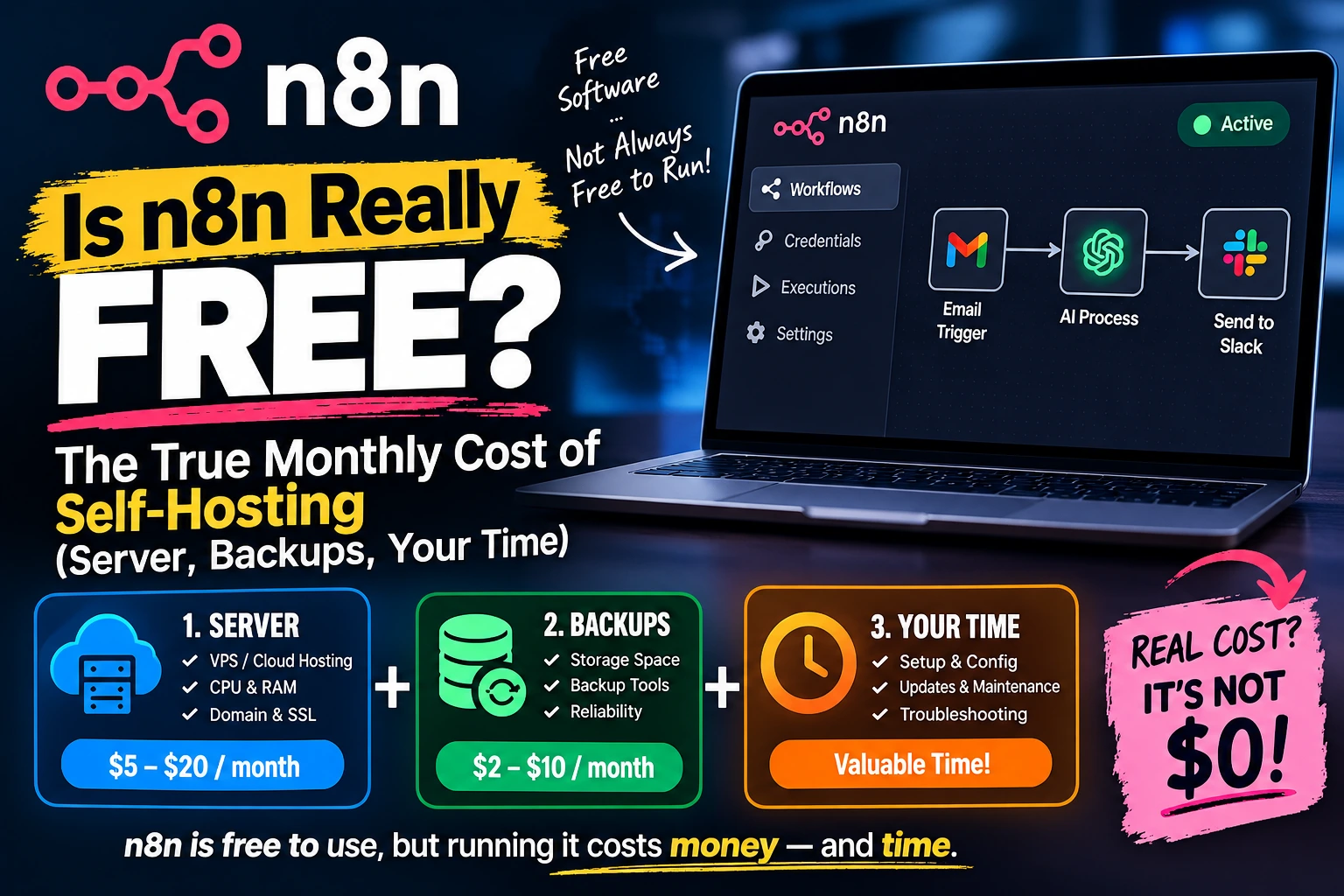
Here’s what that cost actually looks like, broken into the three places it hides: the server, the backups, and your own time.
Is n8n Really Free? What the License Actually Says
n8n’s self-hosted Community Edition is released under the Sustainable Use License, a “fair-code” license. In plain terms: you can run it, modify it, and use it internally for your business at no cost, with no limit on workflows, executions, or team members. The restriction only kicks in if you try to resell n8n itself as a hosted service to other paying customers, which is a scenario most small businesses and solo builders never come close to.
For contrast, here’s what n8n charges if you’d rather not self-host at all:
| Plan | Price (billed annually) | Executions included | Hosting |
|---|---|---|---|
| Starter | $20/month | 2,500/month | n8n’s cloud |
| Pro | $50/month | 10,000/month | n8n’s cloud |
| Business | $667/month | 40,000/month | Self-hosted, license key required |
| Enterprise | Custom | Unlimited | Either |
Notice that the jump from Pro to Business is roughly 13 times the price for 4 times the executions. That gap is exactly why so many small teams look at self-hosting the free Community Edition instead, especially once their workflows outgrow Starter’s 2,500-execution ceiling. But the Community Edition’s real cost doesn’t show up on this table at all. It shows up on your server bill, your backup bill, and your calendar.
Cost 1: The Server
n8n’s documented minimum is 2 CPU cores, 2 GB of RAM, and 20 GB of SSD storage. In practice, that 2 GB figure is tighter than it sounds. Once n8n, a PostgreSQL database, and a reverse proxy like Nginx or Caddy are all running side by side, you’re already using close to 800 MB just sitting idle, before a single workflow executes. Push much automation through a 2 GB box and you’ll see out-of-memory crashes.
A more realistic baseline for a small but genuinely reliable setup is 4 GB of RAM and 2 vCPUs, with room to grow to 8 GB if you’re running AI-heavy workflows or several webhooks firing at once. Several VPS providers now sell pre-configured plans at roughly this spec for somewhere between $5 and $12 a month, and some, including Hostinger, offer a one-click n8n template that installs Docker, sets up the reverse proxy, and gets n8n running without you hand-typing a Docker Compose file.
- Light personal use (a handful of workflows, low execution volume): a $5-7/month VPS with 2-4 GB RAM is usually enough.
- Small business production use (webhooks, CRM syncs, AI agents running regularly): budget $10-20/month for 4-8 GB RAM and dependable uptime.
- Higher-volume or multi-client use: costs climb toward $30-50/month once you need more RAM, a managed database, or queue mode with Redis for concurrency.
Whatever tier you land on, this is the one cost on this list that behaves like a normal subscription. It’s predictable, it’s billed monthly, and it doesn’t move around based on how well things go.
Cost 2: Backups
This is the cost most self-hosting guides skip entirely, and it’s not optional if your workflows do anything you’d actually miss.
By default, n8n stores its data in SQLite, a lightweight file-based database. SQLite is fine for testing, but it can’t handle concurrent writes well and doesn’t support n8n’s queue mode, which most production setups eventually need. That means a real deployment needs PostgreSQL, and PostgreSQL needs backing up, since a corrupted or lost database means losing every workflow, every credential, and every execution log you’ve built.
Two practical options, and their rough monthly cost:
- Provider-managed snapshots: most VPS providers offer automated daily or weekly snapshots as an add-on, typically a small flat fee or a percentage of your server cost. Convenient, but the backup lives on the same provider as your server, which is a single point of failure if that account or provider ever has a problem.
- Off-site backups to object storage: scripting a nightly database dump to S3-compatible storage (Backblaze B2 and similar services) costs pennies per gigabyte per month for typical workflow-database sizes. More setup work upfront, meaningfully safer.
Either way, budget a few dollars a month here. It’s a small number next to the VPS bill, but it’s the cost most people skip until the day they actually need a backup and discover they don’t have one.
Cost 3: Your Time
This is the cost that doesn’t show up on any invoice, and it’s usually the biggest one. Self-hosting n8n means you are now responsible for everything n8n’s cloud team normally handles quietly in the background:
- Initial setup: installing Docker, configuring a reverse proxy, setting up HTTPS, and getting PostgreSQL connected correctly. Budget a few hours the first time, longer if Linux and Docker are new to you.
- Version updates: n8n ships updates regularly. Skipping them for too long makes the eventual upgrade riskier; keeping up with them means periodic testing time.
- Monitoring: workflows fail silently if nobody’s watching. Production setups typically need basic monitoring (something as simple as Prometheus and Grafana, or even just alerting on failed executions) so a broken workflow doesn’t go unnoticed for a week.
- Troubleshooting: when something breaks at 11 p.m., on n8n Cloud that’s their on-call engineer’s problem. Self-hosted, it’s yours.
A useful way to think about this: if maintaining your instance takes two hours a month and your time is worth $40 an hour, that’s $80 of real cost, even though no invoice ever shows up for it. For a solo founder comfortable with Linux, that number might genuinely be closer to thirty minutes a month. For someone learning Docker for the first time, it could be considerably more in the first few months. This is the one variable in this whole breakdown that depends entirely on you, not on n8n or your hosting provider.
Is n8n Really Free Once You Add It Up? Putting a Real Number On It
Stack the hard costs together and a typical small-business self-hosted setup lands somewhere around $10-25 a month in server and backup costs, plus whatever your own maintenance time is worth to you. Compare that to n8n Cloud Starter at $20/month for just 2,500 executions, or Pro at $50/month for 10,000, and the math tips toward self-hosting fast, especially once your workflows run more executions than that.
What self-hosting is not is free. It trades a fixed license fee for a smaller, more variable set of infrastructure and time costs. For most people running real automation, that trade is worth making. It’s just worth making with your eyes open about what’s actually on the other side of it.
When Self-Hosting Wins, and When Cloud Still Makes Sense
Self-hosting tends to win once your execution volume outgrows n8n Cloud’s Starter tier, once you’re comfortable with basic Linux and Docker, or once you need workflows to touch internal systems that aren’t reachable from n8n’s cloud. It also wins on data residency: self-hosted, your workflow data never leaves your own server, where on Cloud it’s processed on n8n’s infrastructure in Frankfurt.
Cloud still makes sense if you’d rather not own any of the maintenance above, if your execution volume comfortably fits Starter or Pro, or if the time you’d spend maintaining a server is worth more to you than $20-50 a month. There’s also a middle ground worth knowing about: several smaller companies now offer managed n8n hosting for a few dollars a month, where they run the server and Docker setup for you and you just get a working n8n URL. It’s not free, and it’s not the official product, but it removes most of the time cost from this article without pushing you all the way to n8n’s own cloud pricing.
If you’re still deciding between n8n and the dozen other automation tools out there, our practical framework for choosing an AI automation tool walks through the same buy-vs-build tradeoff for the broader category, not just n8n specifically.
Frequently Asked Questions
Is n8n really free to self-host?
The software license is genuinely free under the Sustainable Use License, with unlimited workflows, executions, and users. Running it still costs money for a server and, ideally, backups, plus your own time to maintain it.
Can I self-host n8n for less than $5 a month?
You can find VPS plans that cheap, but most sit below n8n’s realistic RAM needs once you add PostgreSQL and a reverse proxy. It can work for very light, low-volume personal use, but it’s not a comfortable production setup.
Does the free Community Edition have an execution limit?
No. Unlike n8n’s paid cloud plans, which cap monthly executions by tier, the self-hosted Community Edition has no execution limit. Your only real ceiling is your server’s own capacity.
Sources: n8n’s official pricing page and n8n’s published self-hosting requirements, current as of this writing. Pricing and requirements can change; check n8n’s pricing page for the latest figures before budgeting.