How to Reduce Enterprise SaaS Spend: 7 Proven Strategies to Cut Cloud Costs in 2026
1. Introduction: The “Invisible Worker” Problem
In 2026, the average enterprise now manages over 300 SaaS applications, with nearly 40% of IT spending tied to shadow IT operating outside formal oversight. This explosion of tools has created an “invisible workforce” of software subscriptions that quietly drain budgets without delivering proportional value.
SaaS sprawl refers to the uncontrolled proliferation of software-as-a-service applications across an organization, often leading to redundant tools, underutilized licenses, and escalating costs. Compounding this is the rise of “Shadow AI”—employees adopting unauthorized AI tools like generative models or autonomous agents, which can trigger unexpected “bill shock” from usage-based charges.
By the end of this guide, you’ll have a practical roadmap to reclaim 25–30% of your annual software budget through targeted optimization strategies.
2. The Current Landscape: Why SaaS Costs are Skyrocketing in 2026
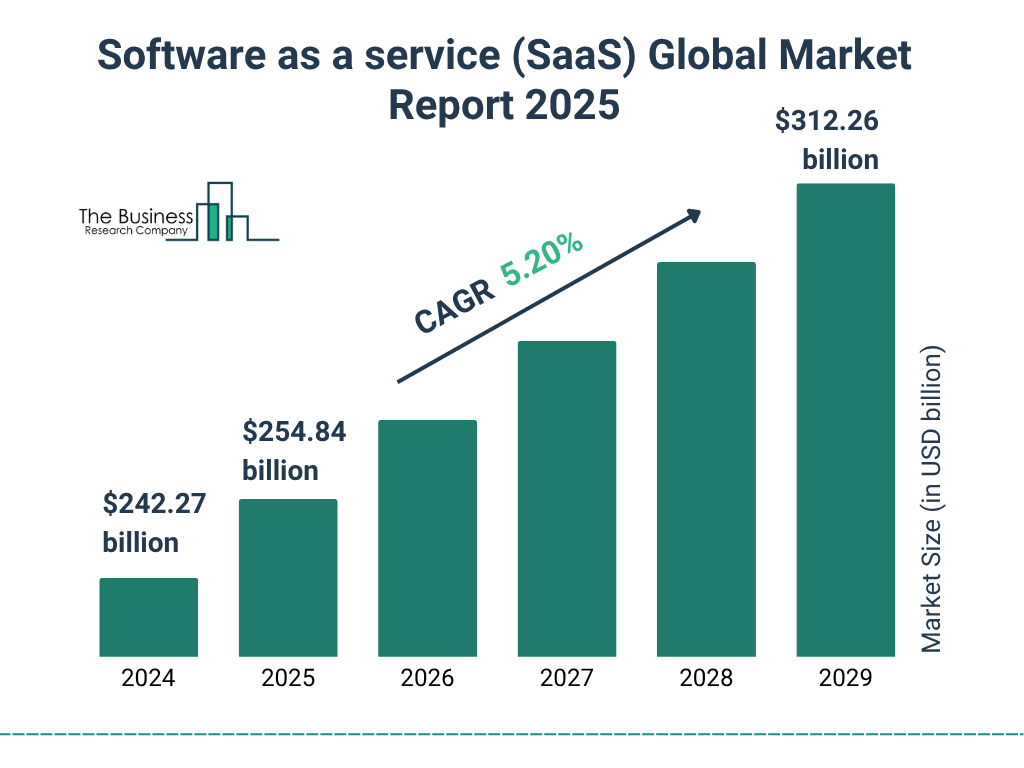
SaaS spending continues to surge, with global markets projected to reach $300 billion by the end of 2025, and per-employee costs averaging around $4,200–$5,600 annually. Several factors are driving this upward trajectory.
Usage-Based Pricing Fatigue: Many AI-integrated tools have shifted from traditional per-seat licensing to models like “per prompt” or “per task” billing. For instance, platforms such as ChatGPT Enterprise or Midjourney for teams charge based on actual consumption, which can spiral if not monitored closely.
The AI Premium: Legacy vendors like Microsoft, Salesforce, and Adobe have layered on AI features with additional surcharges. These “premium” add-ons often remain underutilized, adding 10–20% to bills without corresponding ROI.
Renewal Blindness: Despite advances in automation, about 40% of organizations still rely on manual spreadsheets for tracking renewals, missing critical cancellation windows and leading to auto-renewals at inflated rates.
3. Strategy #1: Continuous Discovery & Eliminating Shadow IT
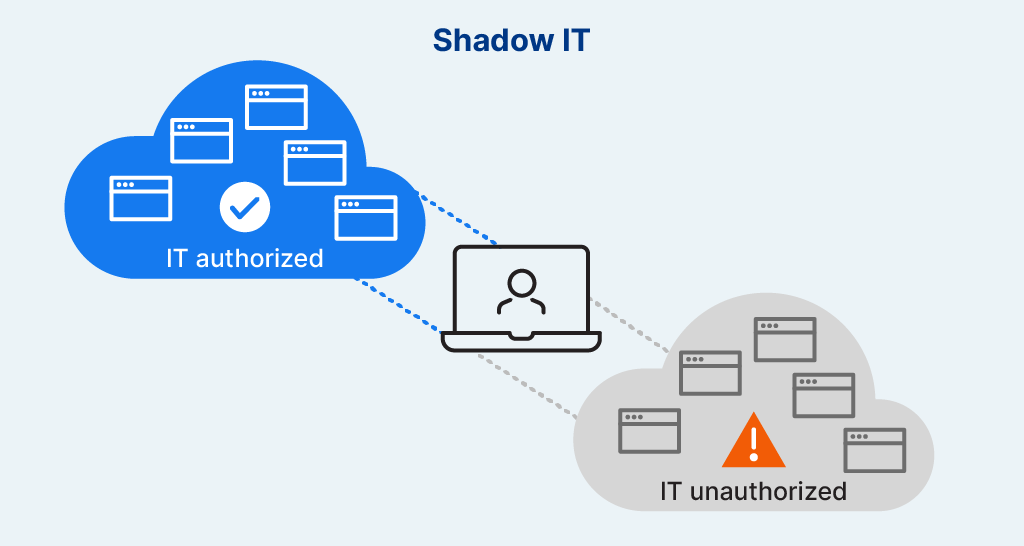
Shadow IT—unauthorized apps and tools—can account for 30–40% of total software spend in large organizations. To combat this, start with a “Finance-First” audit that goes beyond IT logs.
Action Item: Review expense reports, corporate credit card statements, and procurement data to uncover hidden subscriptions. Tools like expense management software can automate this process.
Key Insight: In many cases, shadow IT stems from employees seeking efficiency, but it introduces security risks and redundant costs. Regular audits can identify and consolidate these tools, potentially saving 10–20% of your budget.
4. Strategy #2: The “Zero-Based Budgeting” Approach
Ditch inertia-based renewals and adopt zero-based budgeting: Start each cycle at $0 and justify every license.
Concept: Evaluate each tool’s value against business needs, rather than rolling over last year’s allocations.
Best Practice: Integrate with HR systems like Active Directory to detect “Ghost Licenses”—seats assigned to departed employees. This alone can reveal 20–30% waste in larger teams.
5. Strategy #3: Consolidating Redundant Tech Stacks
Enterprises often juggle multiple tools for similar functions, inflating costs unnecessarily.
The Comparison: For example, paying for Slack, Microsoft Teams, and Zoom simultaneously fragments communication and increases licensing fees.
Here’s a table comparing popular tool categories to highlight potential overlaps:
| Category | Overlapping Tools (Examples) | Consolidation Benefit |
|---|---|---|
| Communication | Slack vs. Microsoft Teams vs. Zoom | Reduced licensing costs and unified channels |
| Project Management | Monday.com vs. Asana vs. Trello | Centralized data and improved collaboration |
| File Storage | Dropbox vs. Google Drive vs. OneDrive | Uniform security policies and lower storage fees |
| Analytics | Google Analytics vs. Tableau vs. Power BI | Streamlined reporting and fewer integrations |
| CRM | Salesforce vs. HubSpot vs. Zoho CRM | Consolidated customer data and cost savings |
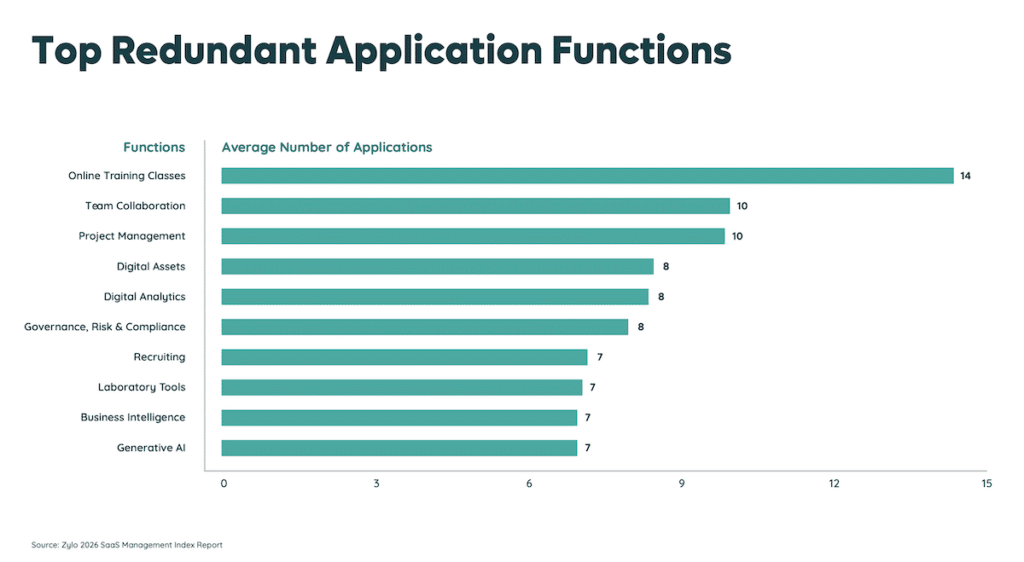
Prioritize tools with the highest overlap and migrate to a single platform to achieve data centralization and security uniformity.
6. Strategy #4: Mastering the Art of 2026 SaaS Negotiations
Arm yourself with data to negotiate better terms.
Leverage Benchmarking: Use industry reports to compare what similar-sized companies pay for the same tools. Platforms like Gartner or specialized SaaS benchmarks can provide leverage.
Multi-Year vs. Monthly: Opt for multi-year commitments (e.g., 3 years for 20% discounts) if the tool is mission-critical, but stick to monthly for experimental or volatile needs to maintain agility.

7. Strategy #5: Right-Sizing Tiered Licenses
Many users are over-provisioned, paying for features they don’t need.
Insight: “Power User” licenses are often used for basic tasks, wasting premium pricing.
Action: Analyze usage data over the last 90 days and downgrade inactive users to “Standard” or “View-Only” tiers. This can cut costs by 15–25% without impacting productivity.
8. Strategy #6: Implementing a SaaS Management Platform (SMP)
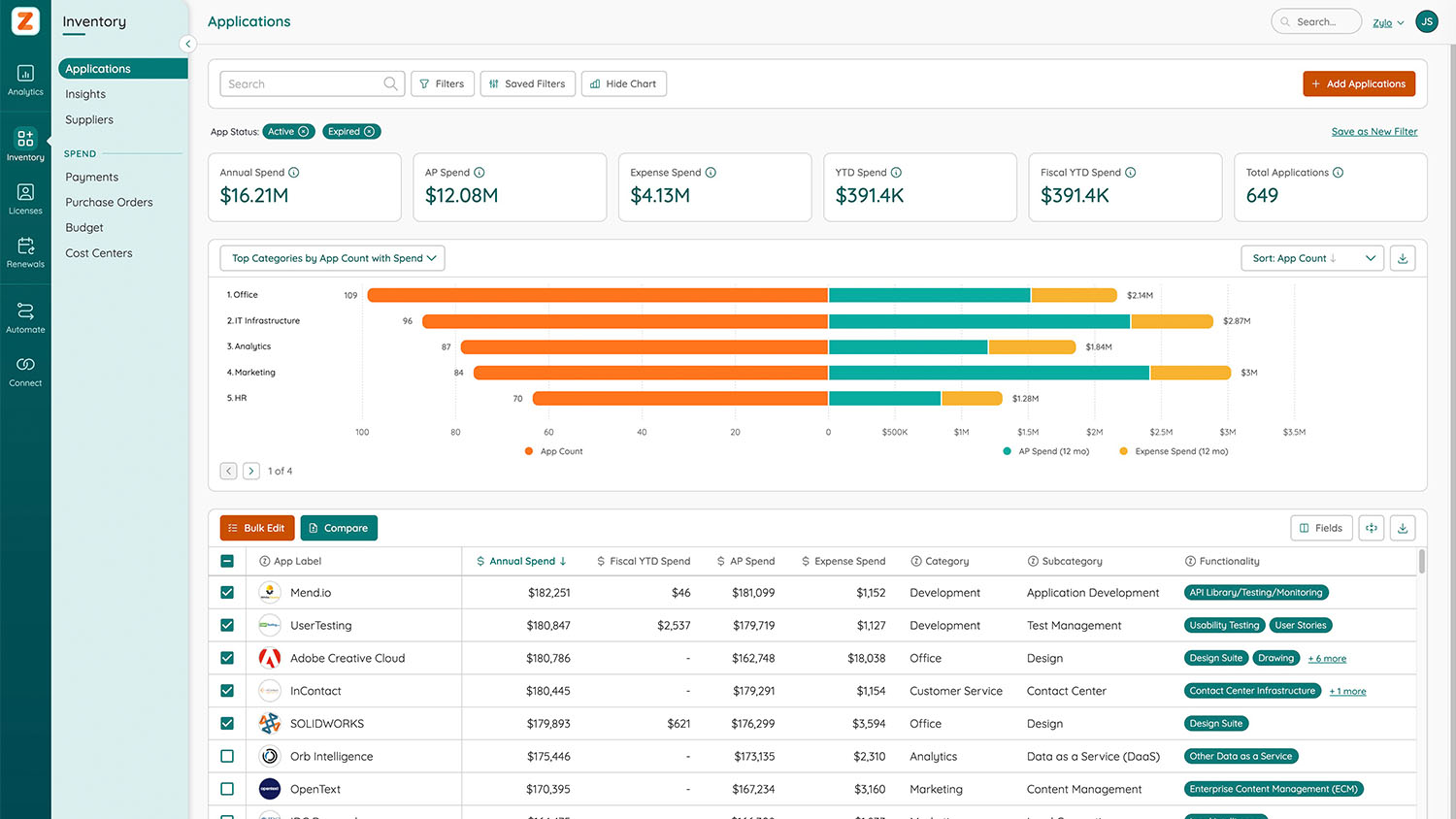
SMPs centralize visibility and control over your SaaS ecosystem.
Expert Recommendation: For 2026, top tools include:
- Vertice & Zylo: Ideal for large enterprises with built-in negotiation support and spend analytics.
- Zluri & BetterCloud: Strong for automation, security, and IT-focused teams.
ROI Factor: These platforms typically deliver ROI within 6 months by identifying waste and optimizing renewals.

9. Strategy #7: Governing “Agentic AI” Spend
Agentic AI—autonomous agents that perform tasks independently—is a 2026 hotspot for runaway costs.
New for 2026: With AI agents integrating into workflows, unchecked usage can lead to exponential bills from API calls and compute resources.
Control: Implement strict API credit limits per department, monitor agent activity, and set governance policies to prevent overages.

10. Summary & Checklist
Reducing SaaS spend requires vigilance, data-driven decisions, and the right tools. By applying these strategies, enterprises can optimize costs while maintaining innovation.
The “Monday Morning” Checklist:
- Sync with Finance to pull all software-related expenses.
- Identify top 5 most expensive non-essential apps.
- Set calendar alerts 90 days before major renewals.
- Run a shadow IT audit using expense data.
- Review license utilization and downgrade as needed.
11. FAQ Section (People Also Ask)
What is the average SaaS spend per employee in 2026? Approximately $3,500–$5,600, depending on company size and industry, with larger enterprises seeing higher per-employee costs due to complex stacks.
How do I find hidden software subscriptions? Use SMPs for automated discovery or manually audit bank statements, credit card logs, and expense reports to uncover shadow IT.
Is AI making SaaS more expensive? Yes, but only if usage isn’t governed. AI premiums and usage-based models can add 10–20% to costs, but proper controls like API limits can mitigate this.