Stop Wasting Time: 7 Crucial AI Automation Tools for Small Business in 2026

AI automation tools for small business.
You’re working crazy hours, drowning in emails, invoices, and all the little things that eat up your day. Meanwhile, your competitors are breezing by, thanks to AI, and you’re left wondering how they make it look so easy. Burnout creeps in, and all that manual work chips away at your profits.
If you run a small business, work solo, or just started your own thing, you know the pain. Want to save time and actually grow without hiring a crew? The answer’s right here: solid AI automation tools built for small business.
It’s 2026. AI isn’t a fancy extra anymore—it’s your secret weapon. It takes care of the boring, repetitive stuff and frees you up to focus on what matters. Workflow gets smoother, efficiency goes up, and you finally see real progress.
At Beeznez Tech, we’ve tried a mountain of these tools so you don’t have to waste your time. Here are the seven tools that busy founders are using right now to take back their nights, earn more, and actually get a breather.
No fluff, no empty promises. Each tool comes with a super-simple “set up in five minutes” guide, because honestly, who has time for long-winded tutorials?
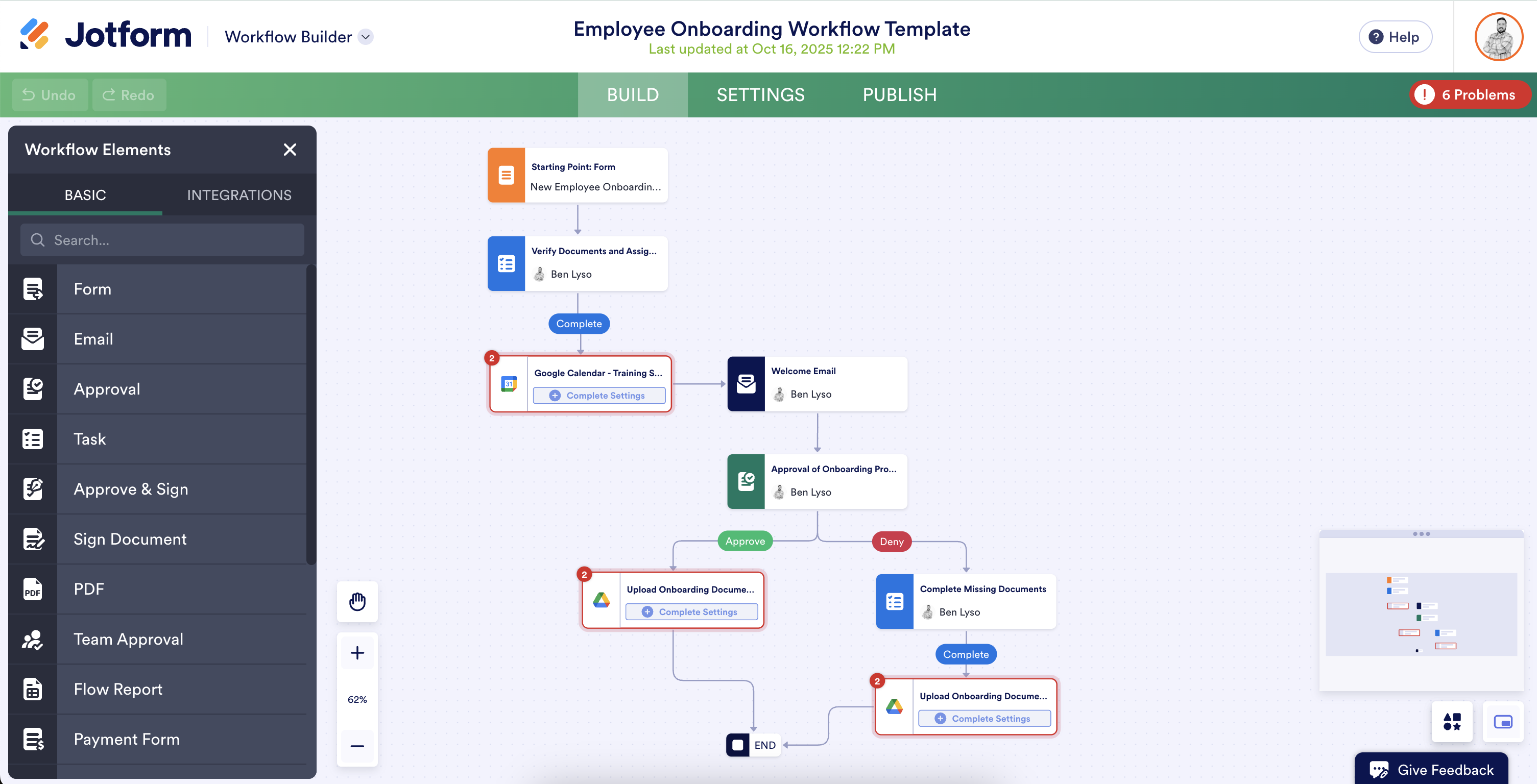
1. Zapier – Best for No-Code AI Workflow Automation
Sick of copying stuff from Gmail to your CRM, then over to Slack, and finally into Google Sheets? Zapier hooks up more than 8,000 apps, and now it’s got built-in AI agents that actually think and get things done for you.
Small business owners rave about it. One Zap can handle lead qualification, chase down invoices, or post on social while you’re off doing something else—or sleeping. Real founders say they save over 20 hours every week and pull thousands back from what used to be lost pipeline.
Set Up in 5 Minutes
- Head to zapier.com, sign up (it’s free), and start connecting your favorite apps—Gmail, HubSpot, Slack. Each one takes maybe half a minute to link.
- Just type what you want in plain English: “When a new lead fills my form, use AI to enrich it, add it to my CRM, and tell me on Slack.”
- Test it, adjust if you need to, then switch it on. That’s it. Your first automation is running.
That’s how you give your small business a serious AI boost—fast, easy, and surprisingly powerful.
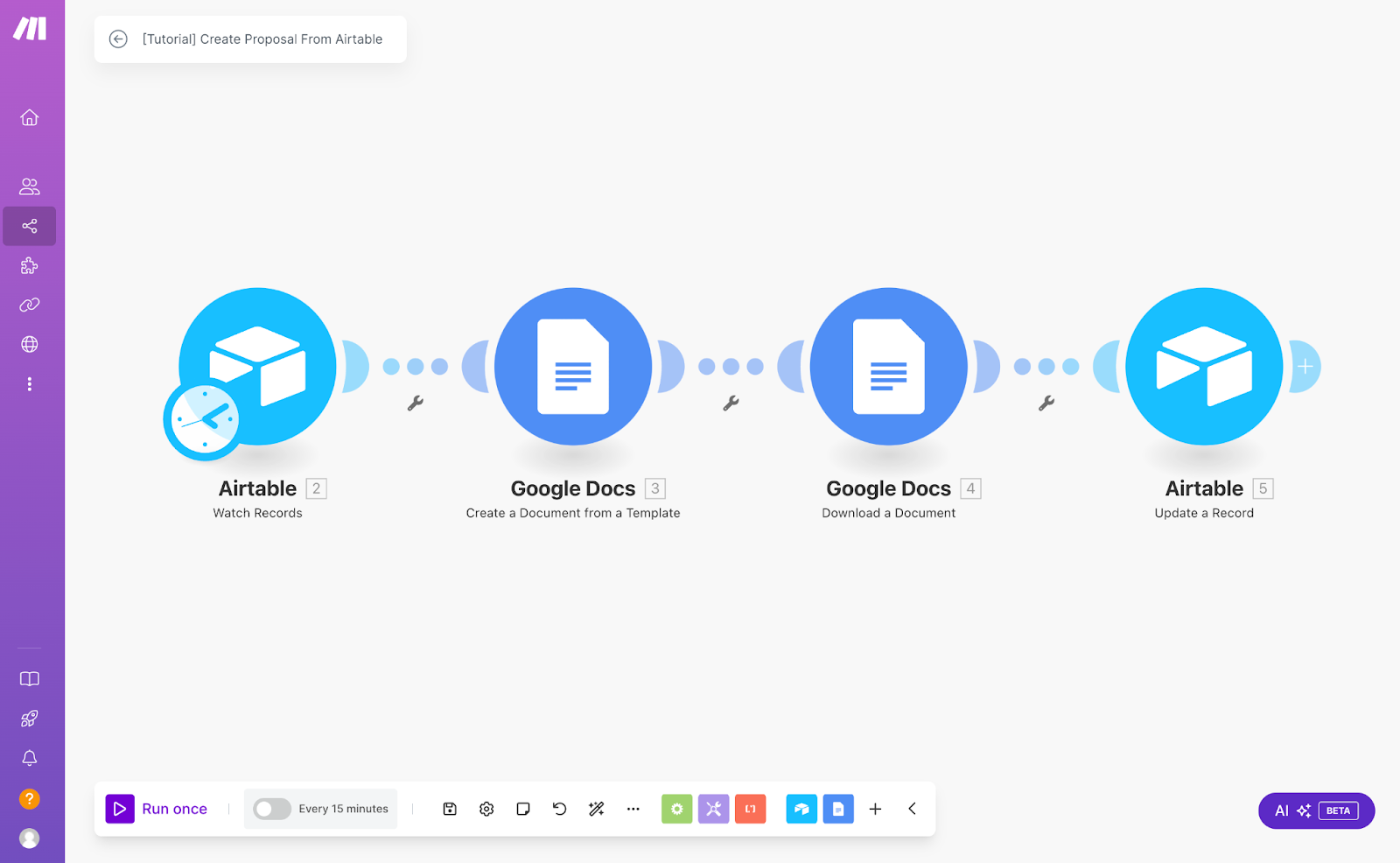
2. Make.com – Best for Complex Visual Small Business Workflow Automation
If you’re juggling complicated processes—like multi-step order fulfillment or really tailored onboarding—Make.com makes life a whole lot simpler. Its drag-and-drop visual builder lets you stitch everything together, and there are over 400 AI app integrations to choose from.
Solo founders and small teams use it to run big, automated systems without writing a single line of code. People have seen their revenue shoot up by as much as 50%, just by automating what used to eat up whole workdays.
Set Up in 5 Minutes
Go to make.com and sign up for a free account.
Pick a ready-made AI agent template or start from scratch. Drag in apps like Airtable, Gmail, or OpenAI—whatever you use.
Connect your modules, drop in some AI logic (summarize, decide, generate), set your triggers, and turn it on. That’s it. Your workflow starts running right away.
It’s a solid choice for small business AI software in 2026—especially if you want a tool that keeps up as you grow.
3. HubSpot AI (Breeze) – Best for Marketing, Sales & Service Automation
Scattered tools and manual follow-ups killing your pipeline? HubSpot‘s Breeze AI unifies everything in one platform with agents that prospect, answer customers, and analyze data 24/7.
Small businesses using the Small Business Bundle see 129% more leads and 36% more closed deals—without adding headcount.
How to Set It Up in 5 Minutes
- Visit hubspot.com and start with the free Small Business Bundle or Starter plan.
- Enable Breeze Agents in your dashboard—they’re ready out of the box for marketing, sales, and support.
- Connect your email/website and let the AI handle prospecting, ticket resolution (65%+ automated), and reporting. Watch the magic happen.
The ultimate AI for business efficiency in one dashboard.

4. Jasper – Best for AI Content & Marketing Automation
Let’s be real—writing blog posts, social captions, emails, and ads eats up way too much time. Jasper steps in with over 100 AI agents and smart content pipelines, cranking out on-brand content three times faster. Your voice stays sharp, too.
Entrepreneurs love this because they can scale up their marketing without hiring writers or agencies. Some teams even say they pumped out more than 7,500 pieces of content in a single day, saving over 10,000 hours every year.
Getting started is quick. Head to jasper.ai and start your free trial. Upload your brand guidelines and assets to the Context Hub so Jasper nails your voice every time. Pick a template—maybe a blog post, campaign brief, or social post—or jump into Studio and build your own pipeline. Hit generate, review, and publish. Just like that, your content engine is up and running.
Honestly, if you’re an entrepreneur who wants to crush content without burning out, Jasper’s one of the top tools out there.
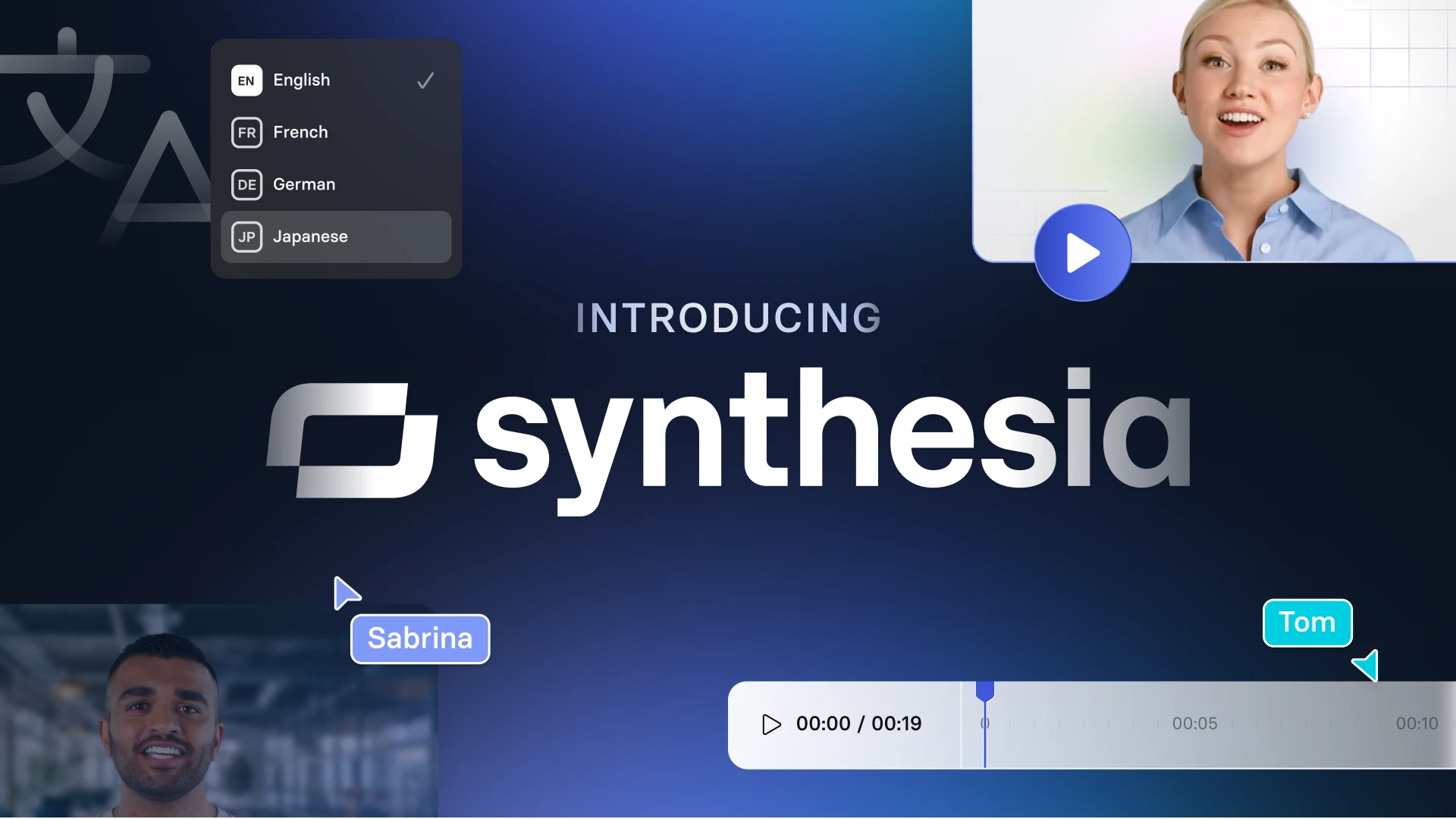
5. Synthesia – Best for AI Video Content Automation
Forget cameras, studios, or hunting down an editor. With Synthesia, you just drop in your script or upload a document, and you get a polished video starring a lifelike AI avatar. It works in over 160 languages and slashes the time and cost—think 90% cheaper and way faster than old-school video shoots.
Founders love it for sales pitches, training sessions, marketing clips, and onboarding videos that actually get results.
Set up takes five minutes, tops. Head to synthesia.io and check out the free plan—no credit card, no hassle. Pick your avatar, paste your script or add a doc, tweak your brand colors and logo, and hit generate. Your video shows up in your inbox in minutes. One click to edit, translate, or download.
Now you’re cranking out pro-level videos and scaling your marketing like the big leagues, all without blowing your budget.

6. Fireflies.ai – Best for Meeting Notes & Follow-Up Automation
Meetings take over your schedule, and then you’re stuck spending even more time writing notes or chasing down what everyone promised to do. Fireflies handles all of that for you. It listens in, transcribes your meetings, picks out action items, and sends everything straight to your CRM, Slack, or project management apps—totally automatic.
Teams using Fireflies spend way less time on follow-up calls and never lose track of action items. Plus, it tracks who said what, how they felt about it, and what topics came up—super handy if you’re in sales.
Get started in 5 minutes:
- Head to fireflies.ai and sign up (there’s a free version).
- Add fred@fireflies.ai to your Google, Zoom, or Teams calendar, or just grab the Chrome extension.
- Jump into your next meeting. Fireflies takes care of the rest—notes, tasks, CRM updates, all done for you.
It’s pure small business workflow automation for your calendar. Set it up once, and stop worrying about meeting notes.
7. Notion AI – Best for Automating Knowledge and Tasks Across Your Business
Tired of scattered docs, endless to-do lists, and messy notes? Notion AI pulls everything together. It acts like a supercharged teammate—set up custom agents that answer your questions, build reports, sort through feedback, and handle whole workflows by tapping into your own data.
Whether you’re a solo founder or part of a small team, you can use it for onboarding, weekly updates, or turning your meeting notes straight into action items. No need to jump between apps or lose track of anything.
How to Set Up Notion AI in 5 Minutes
- Jump into notion.so (it’s free for individuals) and turn on Notion AI in your settings.
- Spin up a Custom Agent—just say something like, “Answer any question about my projects,” or “Summarize weekly tasks every Monday.”
- Drop it into your pages or databases—type /AI or just ask it anything. It even connects with Slack, Drive, and more.
Suddenly, your whole operation gets an AI co-founder who never sleeps.
Quick Comparison Table
| Tool | Best For | Starting Price | Typical Time Saved/Week |
|---|---|---|---|
| Zapier | App connections & agents | Free tier | 10–20+ hours |
| Make.com | Complex visual workflows | Free → Core plan | 15+ hours |
| HubSpot AI | Full CRM automation | Small Business Bundle | 12–15 hours |
| Jasper | Content & marketing | Free trial | 10–15 hours |
| Synthesia | Video production | Free (10 min/mo) | 8–12 hours |
| Fireflies | Meetings & follow-ups | Free tier | 5–10 hours |
| Notion AI | Knowledge & tasks | Free + credits | 8–12 hours |
These AI automation tools aren’t just for show—they’ve proven themselves in 2026 and actually help founders who are stretched thin.
Pick one now. You can get it running in five minutes. By tomorrow, you’ll notice the difference.
Which one are you trying first? Let me know in the comments—I really do read and reply to every single one.
If you want more weekly business tech tips, tool roundups, and quick, practical setups, sign up for the Beeznez Tech newsletter at beeznez.com. Your future self (and your free time) will appreciate it.
You’ve got this. Let AI handle the busywork so you can focus on building the business you actually enjoy.
FAQs
Q1. What are the best AI automation tools for small businesses in 2026?
If you’re running a business in 2026, a handful of AI tools really stand out. Zapier is great for connecting your apps without any hassle. Make.com lets you build workflows visually, so you can see exactly what’s happening. HubSpot AI covers sales and marketing, while Jasper takes care of content creation.
For video, Synthesia is super easy to use, and Fireflies.ai handles meeting notes automatically. Notion AI is perfect for managing tasks and keeping everything organized. These tools are popular because they’re simple to set up and immediately make a difference. Just pick the one that tackles your biggest headache, whether that’s endless data entry or getting stuck on content.
Q2. How can you automate your small business with AI if you don’t know how to code?
You actually don’t need to know any code. Tools like Zapier and Make.com have no-code platforms. You just describe what you want, connect your apps, and the AI does the rest. Most of these tools walk you through setup in three easy steps—sign up, hook up your apps, and turn it on. You’ll get back hours every week, and it grows with your business.
Q3. Which AI tools help solo business owners work smarter?
If you’re flying solo, a couple of AI tools can make a huge impact. Jasper writes your marketing content so you don’t get bogged down, and Fireflies.ai takes care of meeting notes automatically.
It’s a big help for solo-preneurs who need to save time and avoid burnout. People say they’re getting back 10 to 20 hours every week using these. Honestly, that’s a game-changer in a fast-moving year like 2026.
Q4. Are there any free AI tools for small businesses in 2026?
Definitely. Plenty of these AI tools have free versions or trials. Zapier and Notion AI both start you off with solid free plans, and Synthesia gives you about 10 minutes of video each month at no cost. Try them out—no risk. You can see what works before deciding if you need to pay for extra features.
Q5. How should entrepreneurs pick the right AI tools when starting out?
Start by figuring out where you lose the most time—maybe it’s sales, content, or admin work. If marketing’s your bottleneck, Jasper’s a safe bet. If customer service eats up your day, check out HubSpot AI. Take a look at their pricing and see how much time you’ll actually save. Make sure whatever you pick lines up with your goals for 2026.
Q6. Can these AI automation tools work with the software I’m already using?
For sure. Integration is kind of their superpower. Zapier connects with over 8,000 apps, and HubSpot AI fits right in with most CRMs and email tools. Usually, it’s just plug-and-play. You don’t need to rip out your old setup—these tools just make it better.
Q7. What kind of results should you expect from small business workflow automation in 2026?
You’ll see a real boost in productivity—20 to 50% is pretty common. You’ll get more leads, make fewer mistakes, and probably even see your revenue go up. Most people find they have more time for themselves, too. In 2026, getting on board with AI early gives you a real edge over businesses still doing everything by hand.